
SEO Inspector
One-click technical SEO audits evaluating headings, meta tags, OpenGraph previews, schema, and Web Vitals.
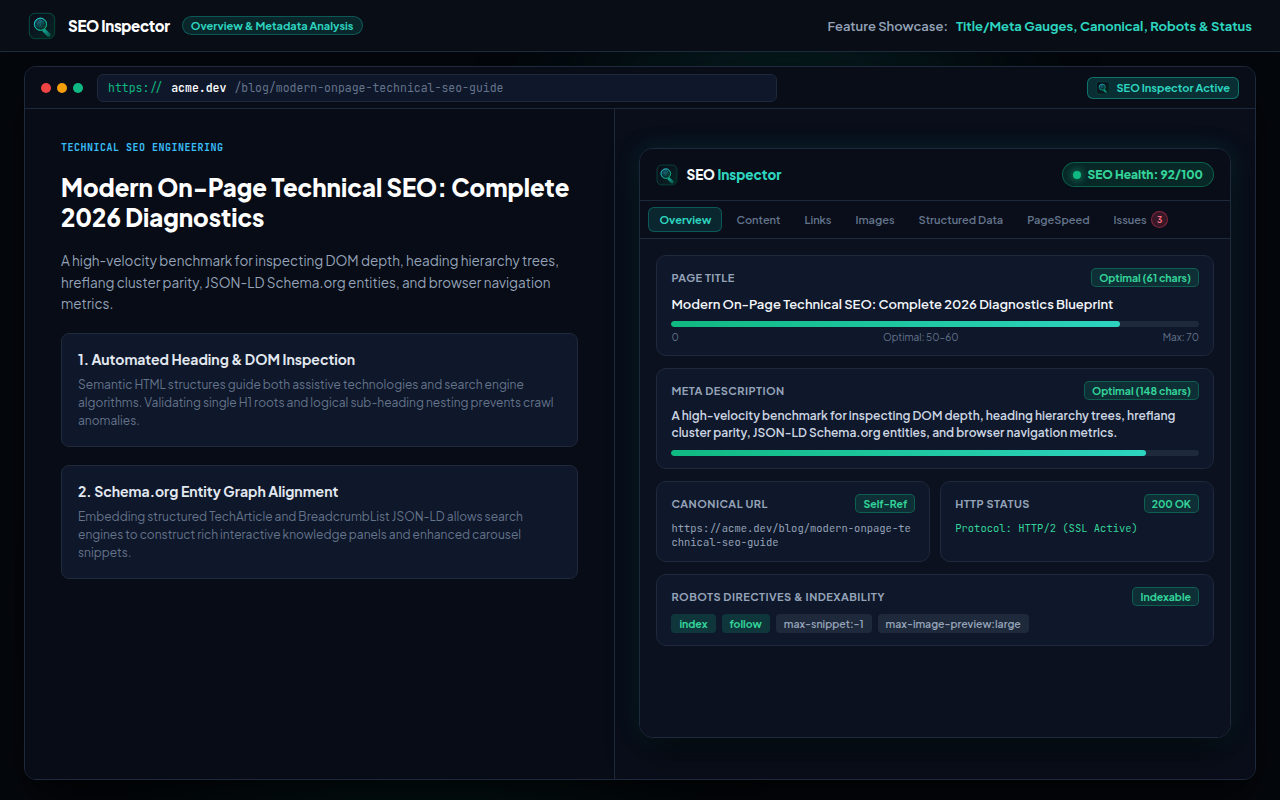
Why Audit SEO Directly in Browser?
Cloud-based SEO crawlers cannot see client-side rendered Single Page Apps (SPAs), pages behind login walls, or local development environments (localhost).
SEO Inspector audits the live rendered DOM inside your active tab, extracting actual heading hierarchies, JSON-LD structured data, OpenGraph previews, and Navigation Timing Web Vitals in 1 click.
Key Capabilities
Heading Hierarchy Audit
Visualize H1-H6 structures and immediately catch skipped levels, missing H1s, or multiple H1 anomalies.
Social Preview Cards
Instantly test how your page will appear when shared on Twitter/X, Facebook, LinkedIn, and Slack.
Structured Data Extraction
Parses and validates schema.org JSON-LD and Microdata blocks for syntax errors directly on-page.
Web Vitals & Performance
Measures TTFB, DOMContentLoaded, and Navigation Timing metrics using native browser Performance APIs.
Frequently Asked Questions
Yes! Because it audits the active tab locally, it works on any URL accessible in your browser, including localhost and intranet pages.
No. Manifest V3 activeTab permissions ensure the extension only inspects page elements when you click its toolbar icon.
External crawlers often fail on JavaScript-heavy sites. SEO Inspector audits the exact rendered DOM your visitors experience.
Ready to use SEO Inspector?
Install directly from the official Microsoft Edge Add-ons catalog in 1 click.
Get on Microsoft Edge →