

Skip to content
Privacy-first browser extensions for Edge and Chrome

Word to LaTeX Converter & Browser Extensions.
Built for Real Work.

Engineered for privacy and daily productivity. Convert Word to LaTeX and autocorrect bilingual text 100% offline; extract tables, batch-download files, and audit on-page SEO locally in your browser with no application telemetry.

All 6 on Edge · 3 on Chrome
No Ads · No Extension Telemetry
Website Code on GitHub
Local In-Browser Processing
Local Pandoc WASM Local Processing Live Demo
Select or drop a Microsoft Word (.docx) document
Processed locally on your machine via WebAssembly. Press Enter or click to browse.
Status: Ready — select or drop a .docx file to convert
Conversion engine powered by Pandoc 3.10 compiled to WebAssembly (GPL-2.0+). View engine license at LICENSE.txt · Download Pandoc 3.10 Source (.tar.gz).
Flagship Deep Dive

Word to LaTeX (Offline)

A dedicated browser extension that converts Microsoft Word manuscripts, clipboard tables, and typed math images into compilation-ready LaTeX snippets — directly inside your browser.

Pandoc WebAssembly
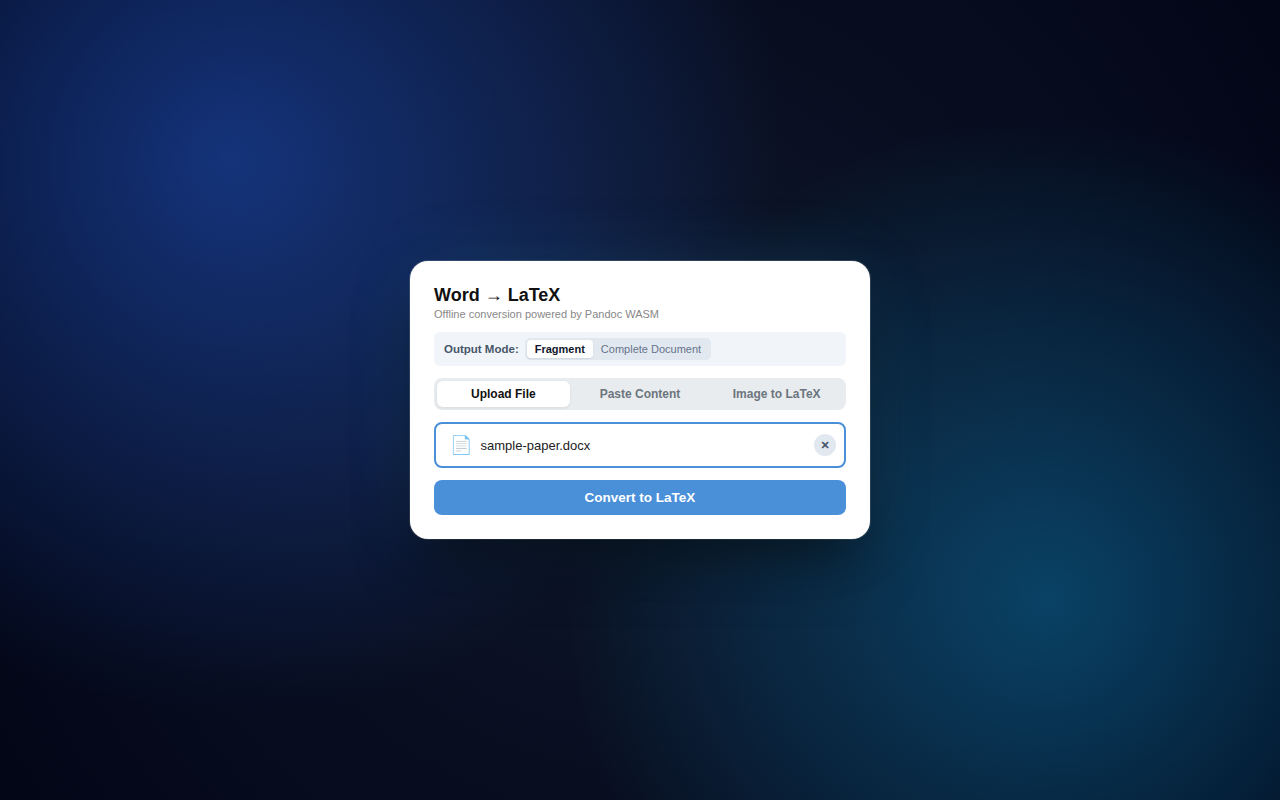
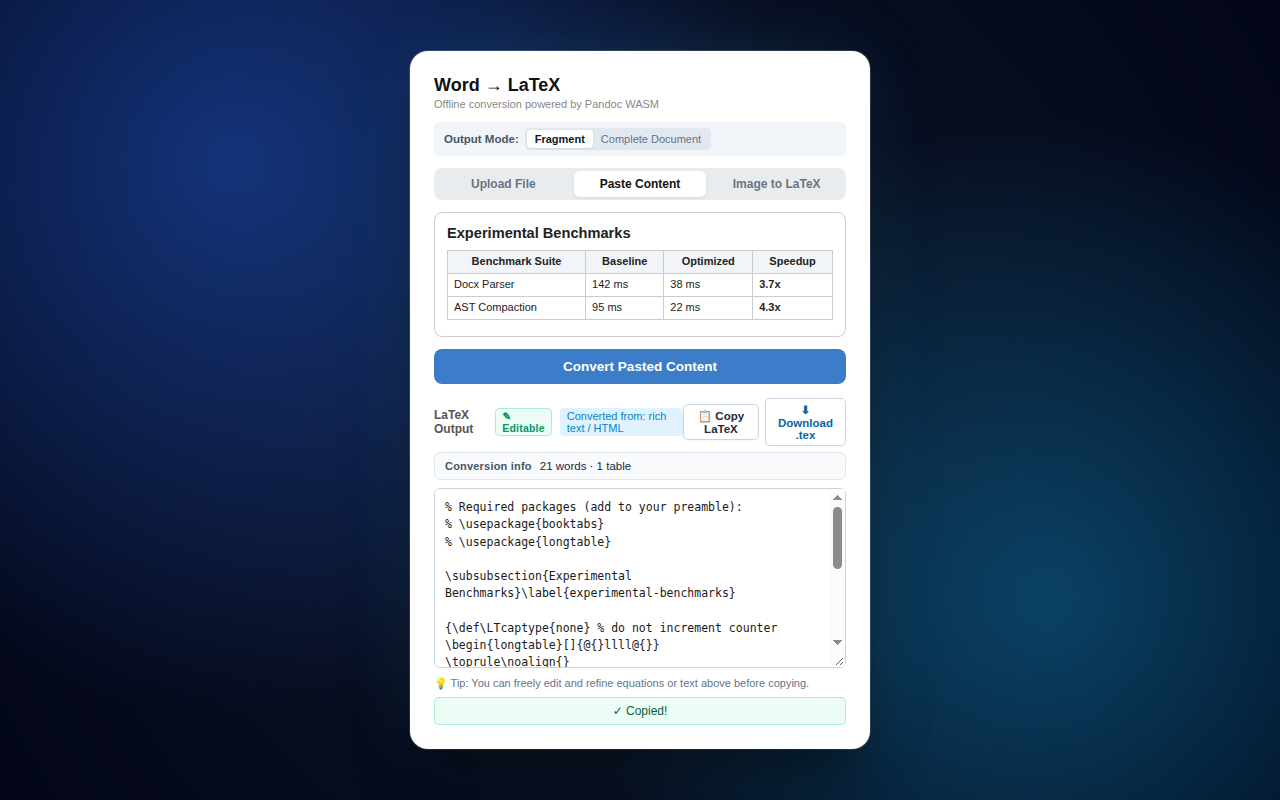
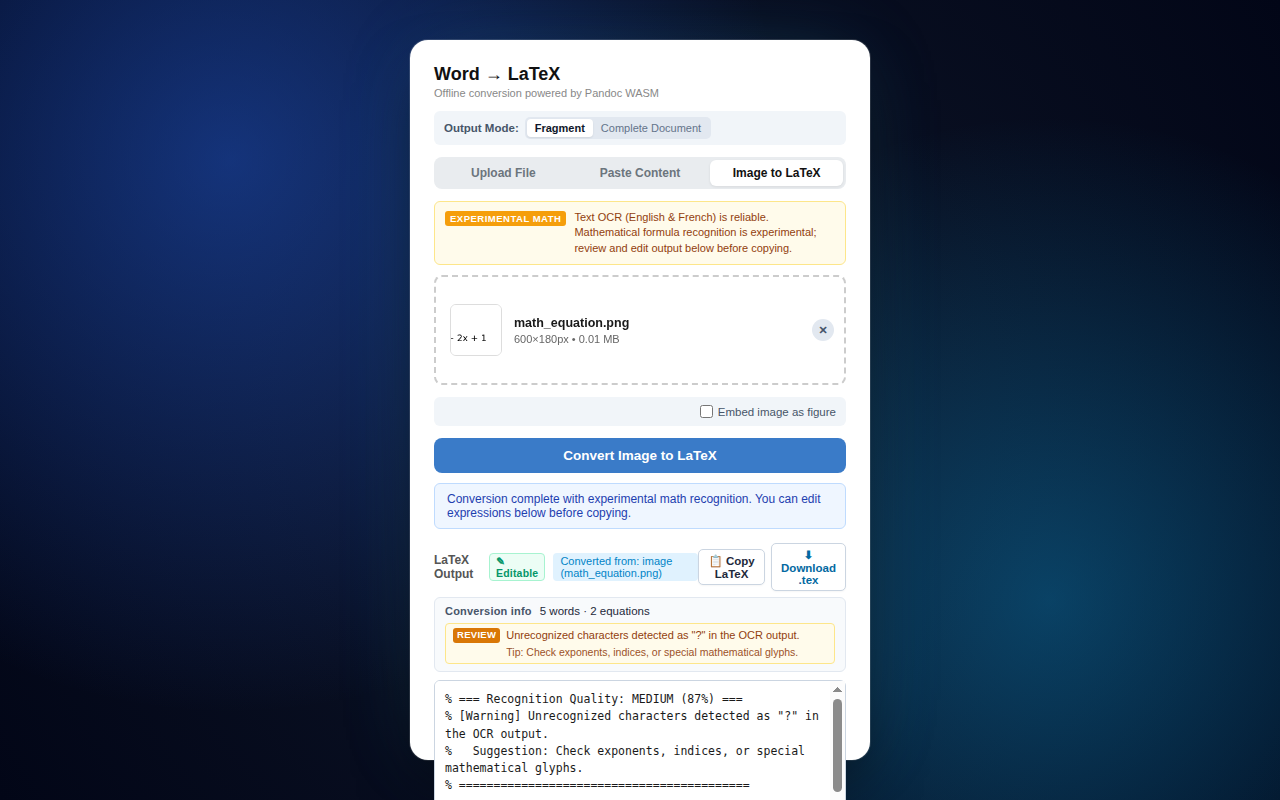
Word to LaTeX output view with instant clipboard sync confirmation Word to LaTeX local DOCX file upload view Word to LaTeX pasted table conversion Word to LaTeX experimental image OCR
Word to LaTeX Extension Interface
Available on Edge & Chrome No Special Permissions Published versions: Edge v1.0.7 · Chrome v1.0.7

Preserves Complex Word Structure

Extracts headings, bold/italics, nested lists, alignment (center/flushright), page geometry, and tables directly into clean booktabs and longtable syntax.

Instant Clipboard Synchronization

Generates clean body fragments ready to paste directly into Overleaf or TeXstudio. Automatically unwraps \pandocbounded{} and removes \tightlist artifacts.

Offline Image to LaTeX (OCR)

Built-in Tesseract.js engine (English, French, Math) recognizes typed single-line equations, standard Greek characters, and definite integrals locally.

Transparent Scope & Limitations: Image OCR is experimental and tested against an 80-sample golden evaluation corpus (97.5% compile rate, measuring whether output compiles, not semantic correctness). Radicals (√) are often read as V, matrix grids are unreliable, and handwriting is unsupported. Review OCR output before publication.
Extension Portfolio

Browser extensions for Edge and Chrome

Each tool is designed with a specific workflow purpose and minimal permissions. Word to LaTeX, Bilexi, and Tab Vault run locally or fully offline, while Table Extractor, BulkGrab, and SEO Inspector process your data directly in your browser with no application telemetry.

6 Live Add-ons
Word to LaTeX icon

Word to LaTeX

Offline Document & Math Converter

Flagship Project 100% Offline WASM
Main Benefit: Converts Microsoft Word (.docx), equations, and complex tables into clean LaTeX snippets—100% offline.
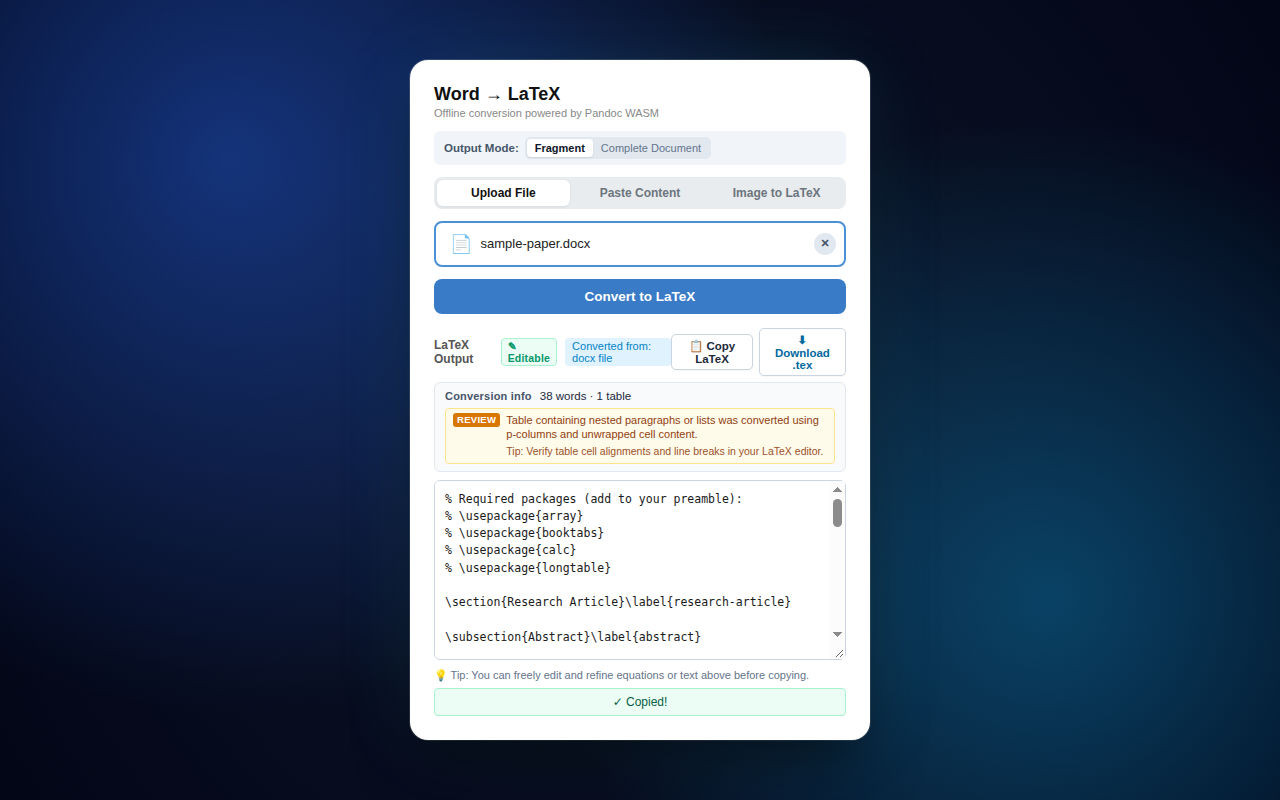
Word to LaTeX output view with instant clipboard sync confirmation
  • Preserves headings, lists, tables, and nested formatting
  • Instant one-click clipboard sync for Overleaf & TeXstudio
  • Browser-local Pandoc WASM without remote uploads
Published versions: Edge v1.0.7 · Chrome v1.0.7

Table Extractor icon

Table Extractor

HTML & Virtualized Data Grid Exporter

Data & Research CSV · XLSX · JSON
★★★★★ 5.0 (Edge Add-ons) Changelog
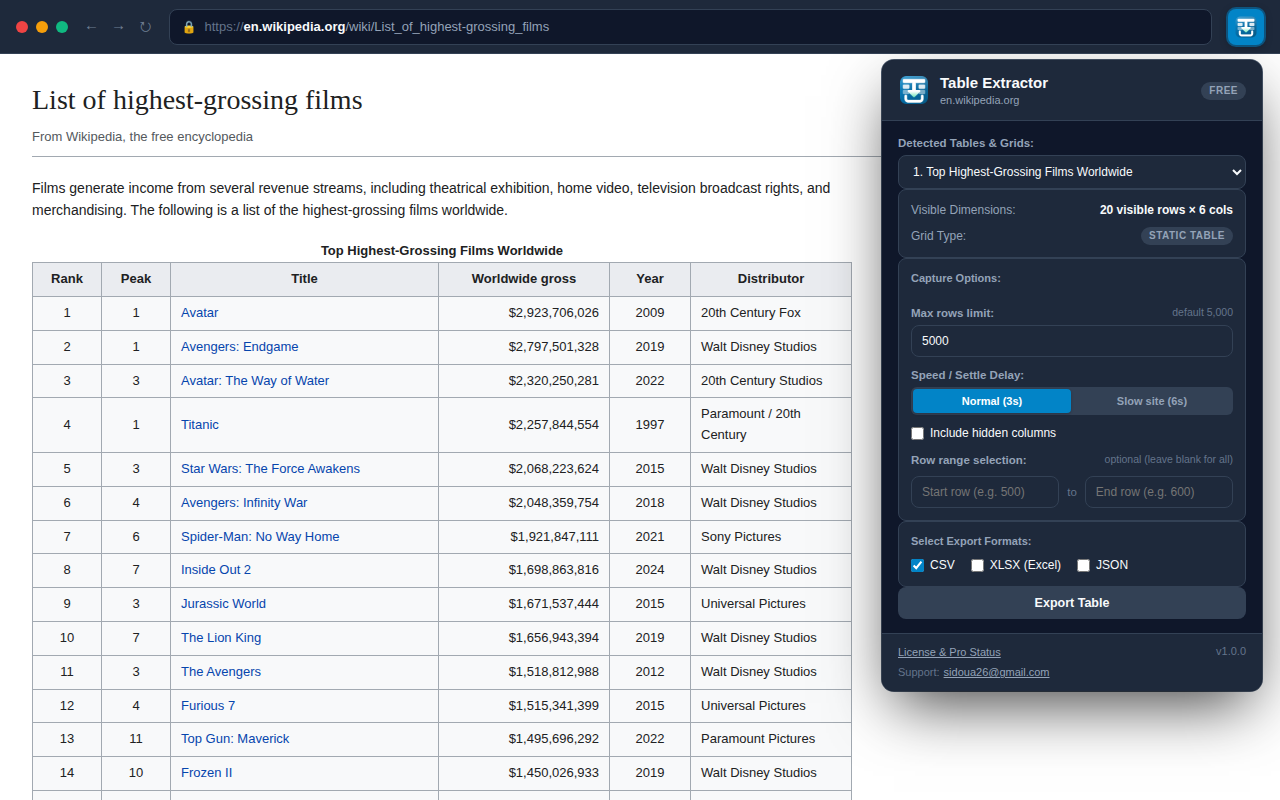
Main Benefit: Export standard HTML tables to Excel, CSV or JSON. Pro adds capture for supported virtualized grids.
Table Extractor detecting HTML tables
  • Free extraction for standard HTML tables
  • Pro capture for supported virtualized grids
  • UTF-8 BOM encoding for instant Excel opening
Published versions: Edge v1.0.1 · Chrome v1.0.1
BulkGrab icon

BulkGrab

Batch Downloads · ZIP Bundling with Pro

File Productivity Local ZIP Archiving (Pro)
★★★★★ 5.0 (Edge Add-ons) Changelog
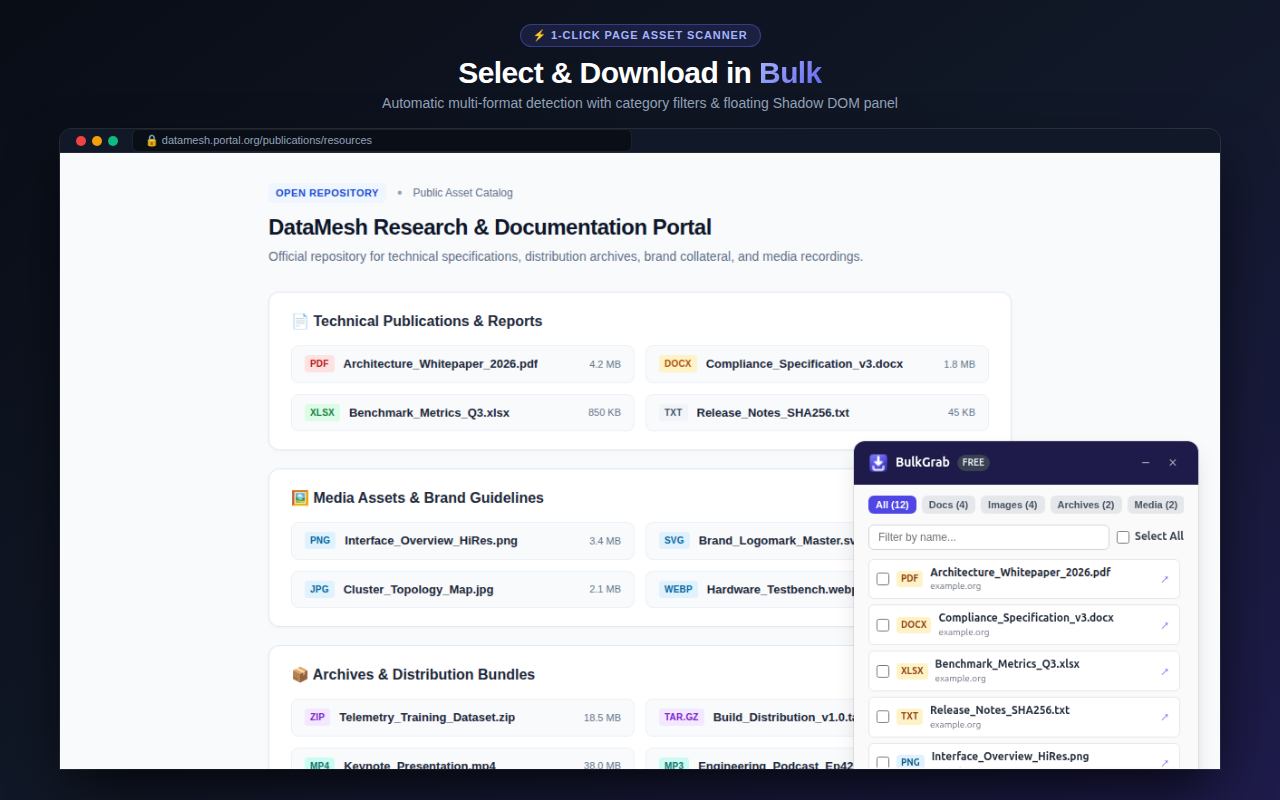
Main Benefit: Find downloadable files on a webpage, filter your selection, and save them directly to your device.
BulkGrab interactive floating file detection panel
  • Smart scan for PDFs, images, archives, media
  • Non-intrusive floating in-page selection panel
  • Files download directly to your device; no upload to my servers
Published versions: Edge v1.0.0 · Chrome v1.0.3
SEO Inspector icon

SEO Inspector

On-Page Technical Diagnostics

SEO & Engineering 9 Diagnostic Tabs
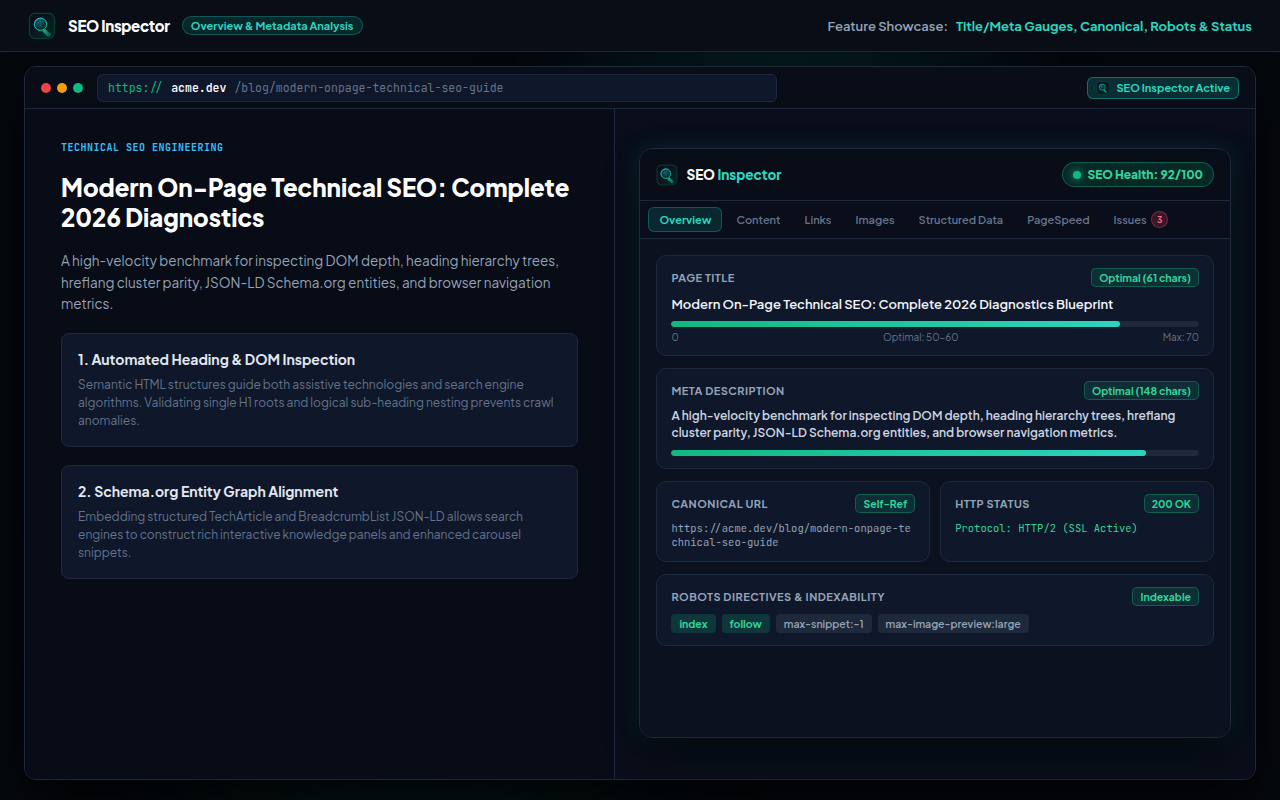
Main Benefit: Instant on-page audit evaluating headings, meta, canonical tags, and page timing metrics in a single click.
SEO Inspector overview diagnostics tab
  • H1-H6 hierarchy visualizer & keyword density
  • JSON-LD syntax checks and type detection
  • Navigation Timing API benchmarks & export
Published versions: Edge v1.0.1
Bilexi icon

Bilexi

Offline Bilingual Autocorrect (EN/FR)

Productivity & Typing 100% Offline Engine
Main Benefit: Effortless real-time bilingual autocorrect, French accent restoration, and elision repair directly in your browser.
Bilexi bilingual autocorrect in browser text field
  • Instant accent restoration (ecole → école, deja → déjà)
  • Interactive suggestion strip with Alt+2 / Alt+3 hotkeys
  • 100% offline binary dictionaries & no cloud telemetry
Published versions: Edge v0.5.1
Tab Vault icon

Tab Vault

Local Tab Manager & Memory Saver

Productivity & Tabs Memory Saver
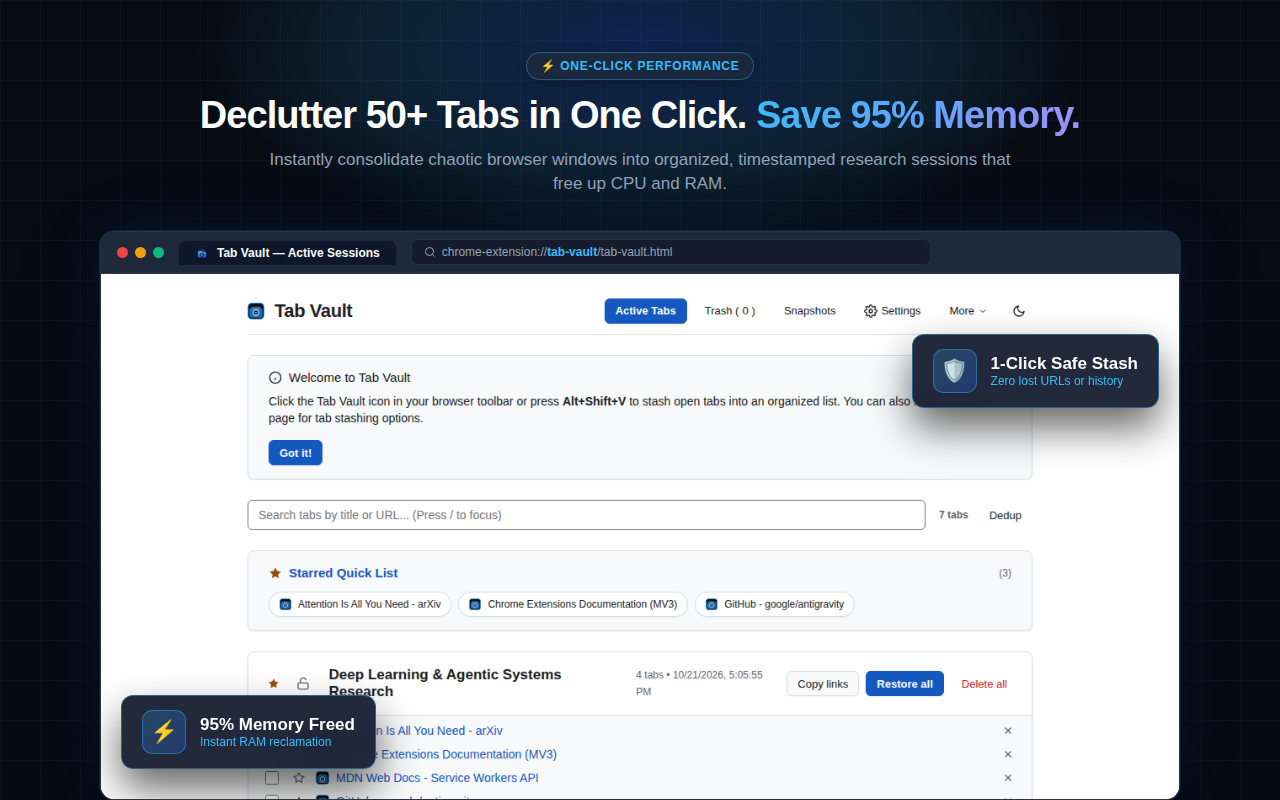
Main Benefit: Convert clutter into organized, searchable tab groups to reclaim browser memory with no cloud storage.
Tab Vault dashboard collapsing open tabs into organized groups
  • One-click tab collapse reclaiming browser memory
  • Searchable vaults, rolling crash-resilient auto-snapshots
  • 100% on-device local extension storage (chrome.storage.local) & no external telemetry requests
Published versions: Edge v1.0.0
Web Application Client-Side Only

Offline PDF Tools

Merge, split, rotate, compress, and redact PDFs in your browser. Your files are processed on your device.

Open PDF Tools →
Documentation & Tutorials

Technical Guides

Step-by-step documentation for offline document conversion and tabular data handling.

View all guides →
Conversion Guide October 2026

Convert DOCX to LaTeX Offline

Compare Pandoc CLI and browser-local options for converting DOCX manuscripts to LaTeX offline. Learn network verification steps and post-conversion checks.

Engineering Philosophy

Hi, I'm Sid

I build focused browser extensions that do one job well and respect your privacy. I started with Word to LaTeX after losing hours reformatting a manuscript, and I didn't want to upload it to a random website. Word to LaTeX and Bilexi run fully offline; Table Extractor, BulkGrab, and SEO Inspector process all data locally inside your browser and don't send your data to any server. Every extension is designed for daily productivity without bloated tracking, unnecessary permissions, or intrusive account walls.

Private by design

All heavy compute and file transformations—including Pandoc WebAssembly compilation and table parsing—execute in your local browser sandbox. Your private documents, research manuscripts, and clipboard contents do not leave your device during local conversion.

Minimal permissions

Each extension requests only the permissions it needs; they are listed on its store page. No browsing activity monitoring or third-party telemetry SDKs are included.

Open to check

Source code is published on GitHub so you can inspect the implementation, review dependencies, and check how each tool handles data. Reuse rights vary by project; check each repository’s licensing status and third-party notices.

Common Questions

Frequently Asked Questions

Why prioritize 100% offline and local-first browser extensions?

Most online document and table converters upload your confidential files, sensitive spreadsheets, and unpublished academic manuscripts to third-party cloud servers where they can be logged, scraped, or retained. Our extensions—such as Word to LaTeX and Bilexi—run offline inside your local browser memory using WebAssembly. Your proprietary research and private data remain strictly on your own hardware.

How does client-side WebAssembly conversion work in Word to LaTeX?

We compile Pandoc and its necessary Unix utilities directly into a WebAssembly binary. When you load or drop a DOCX manuscript into Word to LaTeX, the extension streams the file into an isolated browser Web Worker thread running the Pandoc WASM runtime. The document structure, equation formatting, and tables are parsed in-memory using client-side WebAssembly, returning compilation-ready LaTeX snippets with no remote network latency.

Do Table Extractor, BulkGrab, or SEO Inspector send telemetry to remote servers?

No. Table Extractor parses HTML tables and virtualized AG Grid containers directly in browser memory and generates CSV and Excel XLSX files with local UTF-8 BOM encoding. BulkGrab streams file downloads directly from destination host websites into your browser storage and packages ZIP archives on-device with no developer proxy servers. SEO Inspector performs DOM audits and Performance Timing evaluations locally on the client side without telemetry beacons. The developer operates an optional licensing service on Cloudflare Workers for Table Extractor and BulkGrab to verify payment IDs for Pro upgrades; under no circumstances are table contents, extracted spreadsheets, downloaded files, or media URLs transmitted to the licensing service (browsing history is never accessed or transmitted).

How are software updates and security patches published?

ExtensionGuy tools are distributed through official browser stores. Availability varies by product: Word to LaTeX (Offline), Table Extractor, and BulkGrab have listings on both Microsoft Edge Add-ons and the Chrome Web Store; the other products currently listed on this site are available through Microsoft Edge Add-ons. Each product page links to its official listings. Source code repositories and version changelogs are published publicly on GitHub, enabling developers and researchers to inspect source code and extension manifests independently.

Installation Guide

Install on desktop Edge or Chrome

Install from the official store in your desktop browser. All six extensions are available for Microsoft Edge. Word to LaTeX, Table Extractor and BulkGrab are also available for Google Chrome.

1

Choose your store

Open an extension's Edge Add-ons or Chrome Web Store link from the product cards above. Choose a listing available for your browser.

2

Install the extension

In Edge, select Get. In Chrome, select Add to Chrome. Review any requested permissions, then confirm with Add extension.

3

Pin for quick access

Open your browser's Extensions menu and pin the extension to the toolbar if that option is available.

4

Developer testing (optional)

Follow the extension repository's build instructions. In Edge, open edge://extensions; for Chrome-supported products, open chrome://extensions. Enable Developer mode and use Load unpacked to select the built extension folder.

Experimental & Upcoming Projects

MailFlow

In Active Development

Gmail template manager with dynamic variables, compose shortcut auto-expansion, and scheduled sending.

Notify via email Coming Soon to Edge Add-ons
Support & Feedback

Contact & Developer Support

Need help with an extension, found a bug, or have a feature idea? You speak directly with the developer.

Direct Email Support

For inquiries, enterprise requests, or licensing support.

[email protected] →
GitHub Issue Tracker

File reproducible bug reports, regressions, or feature requests.

Open an Issue →
Privacy & Data Policy

Verified documentation of our local-first, telemetry-free policy.

Read Privacy Policy →