
Table Extractor
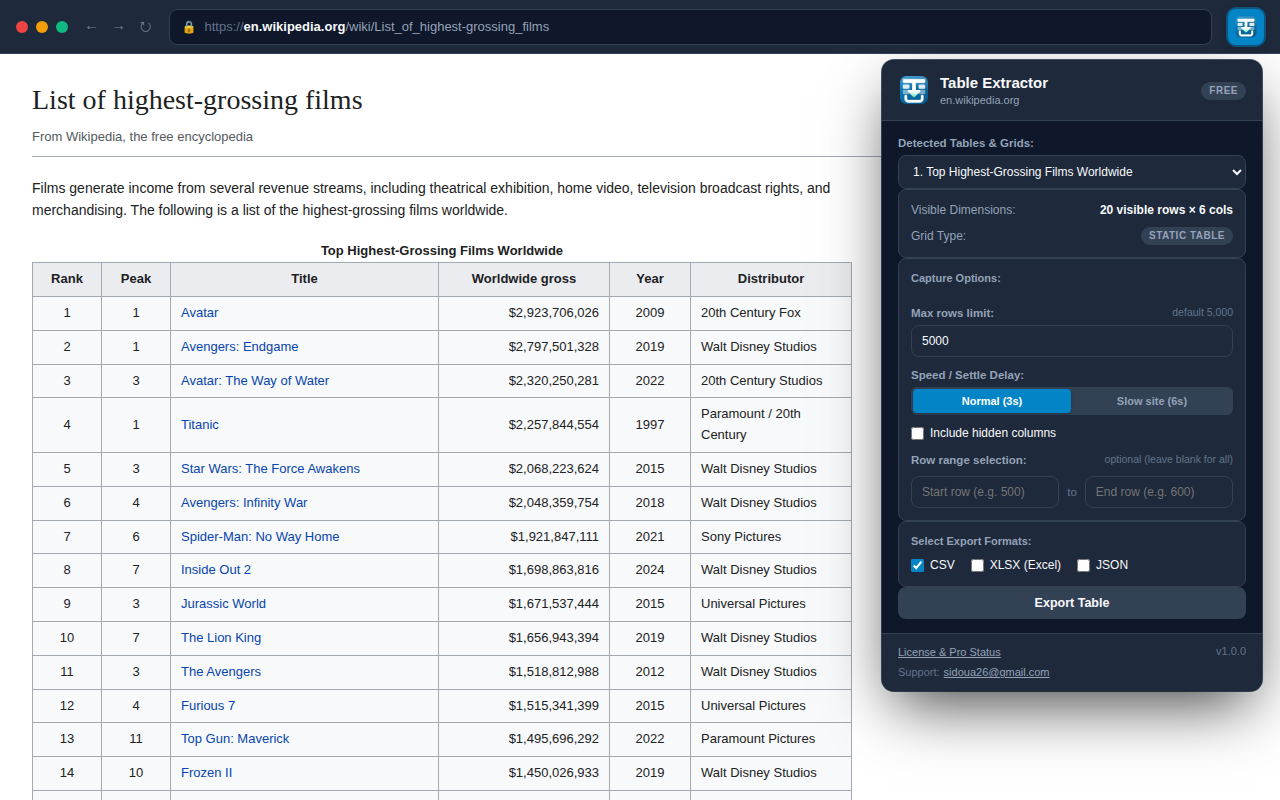
Extract web tables, nested data grids, and virtualized tables into Excel (XLSX), CSV, and JSON arrays.
Why Extract Web Tables Locally?
Copying tables from websites into spreadsheets often loses column alignment, breaks numbers into text, or fails entirely on dynamic frameworks like AG Grid, handsontable, or React virtual tables.
Table Extractor inspects the DOM directly inside your active browser tab, reconstituting rows, headers, and cell values into structured CSV, JSON, and Excel XLSX files with proper UTF-8 BOM encoding—100% in browser memory.
Key Capabilities
Virtualized Grid Support
Detects and extracts dynamic table implementations like AG Grid, React Virtualized, and interactive data grids.
Multi-Format Export
One-click export to formatted Excel (.xlsx), UTF-8 comma-separated (.csv), or structured JSON arrays.
Column Filtering
Select, reorder, or exclude specific columns prior to export directly from the extension popup.
Zero Server Uploads
All extraction and file formatting logic executes entirely on your device inside the local tab.
Frequently Asked Questions
Yes, Table Extractor inspects the DOM tree and handles both standard HTML