
Word to LaTeX (Offline)
Fast, air-gapped DOCX-to-LaTeX converter with math equation, table, and formatting preservation.
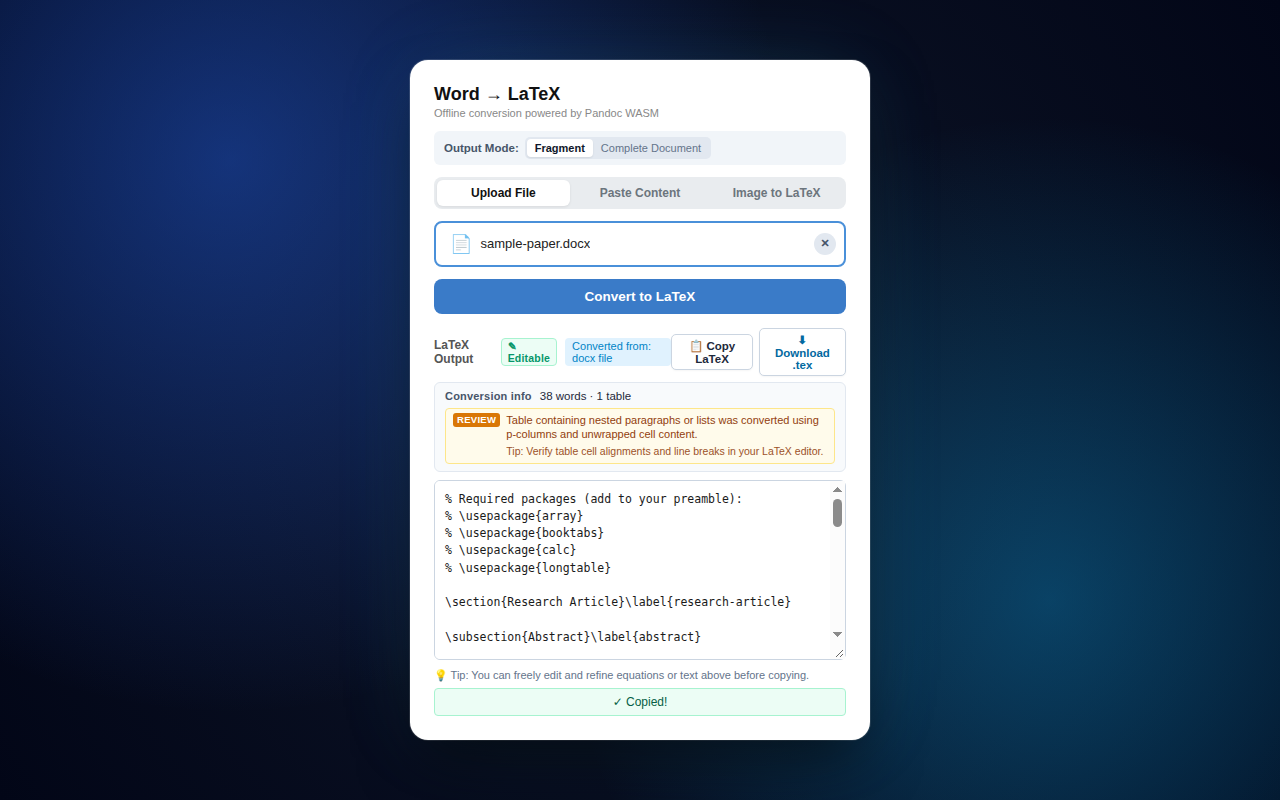
Why Convert Word to LaTeX Offline?
Most online DOCX-to-LaTeX conversion services require uploading your unpublished academic manuscripts, proprietary corporate documents, and private math formulas to third-party cloud servers. These servers can log, retain, or index your content without your knowledge.
Word to LaTeX (Offline) eliminates cloud risk by compiling the industry-standard Pandoc document engine directly into WebAssembly. When you drag and drop a .docx file into the extension, conversion happens entirely inside your local browser memory in an isolated Web Worker thread.
Key Capabilities
Math & Equations
Preserves inline math ($...$) and block equations (13001...13001) converting Word OMML structures accurately into clean LaTeX math syntax.
Tables & Alignment
Transforms complex Word tables into publication-grade booktabs or longtable LaTeX environments with correct column alignment.
Document & Snippet Modes
Export either a complete standalone LaTeX document with full preamble (\documentclass, packages) or clean body snippets for Overleaf.
100% Air-Gapped Privacy
Zero remote telemetry, zero analytics scripts, and zero outbound network calls. Safe for confidential and proprietary research.
Frequently Asked Questions
The extension bundles a compiled WebAssembly binary of Pandoc. All parsing of DOCX XML structures, mathematical formulas, and tables executes entirely within a dedicated local Web Worker thread inside your browser. No files are ever uploaded.
Yes. Word to LaTeX preserves inline and display equations, formats tables using clean booktabs or longtable syntax, and maintains document headings, bold/italics, and nested lists.
Yes, Word to LaTeX is 100% free with no ads, no subscriptions, and no account requirements. It is open source on GitHub.
Ready to use Word to LaTeX (Offline)?
Install directly from the official Microsoft Edge Add-ons catalog in 1 click.
Get on Microsoft Edge →